
Stop, Think, Verify: How to Spot Spear Phishing and Hacked Email Accounts
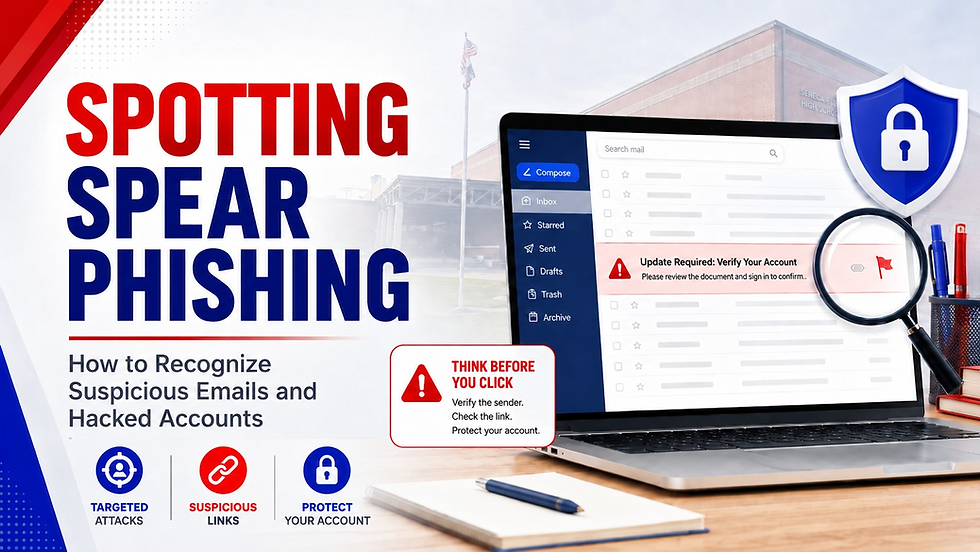
Email is one of the most important tools we use every day at Seneca R-7. It is also one of the most common ways cybercriminals try to get into school systems.
A phishing email is designed to trick you into clicking a link, opening an attachment, sharing sensitive information, sending money, or entering your username and password on a fake website. A spear phishing email is even more dangerous because it is targeted. Instead of sending a generic scam to thousands of people, the attacker may pretend to be someone you know: a coworker, administrator, vendor, parent, student, or outside organization connected to the school.
Sometimes the email may not just look like it came from someone you know. It may actually come from a real employee’s account that has been hacked. That makes these messages harder to spot, and it is why every employee needs to know the warning signs.
The goal is not to make everyone suspicious of every message. The goal is to help everyone slow down, recognize red flags, and report concerns quickly.
Why This Matters in a School District
School districts are attractive targets because we work with student information, staff information, payroll data, vendor payments, parent communication, and many online systems. One compromised account can create risk for many others.
Attackers know that schools are busy. They know employees want to be helpful. They know staff members often move quickly between classes, offices, meetings, buses, lunch duty, activities, and family responsibilities. Phishing emails are designed to take advantage of that busyness.
A good rule to remember is this:
The more urgent, unusual, or sensitive the request is, the more important it is to verify it before acting.
Common Signs of a Spear Phishing Email
A phishing email may look polished or sloppy. Do not rely only on spelling mistakes. Modern phishing messages can look professional, use real logos, and sound convincing.
Watch for these warning signs.
1. The Message Creates Urgency or Pressure
Be cautious when an email tries to rush you.
Examples include:
“I need this done immediately.”
“Are you available?”
“This must be handled today.”
“Your account will be suspended.”
“Final notice.”
“Do not call me, just reply by email.”
“I am in a meeting and need your help.”
Attackers want you to act before you think. A legitimate urgent request can still be verified.
2. The Request Is Unusual for That Person
This is one of the biggest warning signs.
Ask yourself:
Does this sound like how this person normally writes?
Is this something they would normally ask me to do?
Is the timing strange?
Is the tone different from normal?
Is the email unusually short or vague?
Are they asking me to keep it quiet or bypass normal procedures?
A message from a real coworker’s account can still be dangerous if that account has been compromised.
3. The Email Asks for Passwords, Codes, or Account Information
No employee should ever ask you for your password by email.
Be suspicious of any message asking for:
Your password
A verification code
A multi-factor authentication code
A login approval
Account recovery information
Personal information
Banking or payroll details
Student data
Staff data
Also be cautious if an email sends you to a login page. Attackers often create fake login pages that look like Google, Microsoft, banking sites, shipping services, document-sharing services, or other familiar platforms.
4. The Link Does Not Match Where It Claims to Go
Before clicking a link, hover over it with your mouse on a computer. On a mobile device, be extra cautious because links can be harder to inspect.
Watch for:
Misspelled website names
Extra words or numbers in the address
Strange domains
Shortened links
Links that do not match the visible text
A link that claims to be Google, Microsoft, Canvas, Infinite Campus, a bank, or a vendor but goes somewhere else
A link can say one thing and lead somewhere completely different.
5. The Email Includes an Unexpected Attachment
Attachments can be used to spread malware or trick you into entering information.
Be especially careful with unexpected:
PDF files
Word documents
Excel files
ZIP files
HTML files
Shared document links
Invoices
Scanned document notices
Voicemail notices
Fax notices
Even if the attachment appears to come from someone you know, verify it if you were not expecting it.
6. The Sender Name Looks Right, but the Email Address Is Wrong
Attackers often change the display name so the email appears to come from a familiar person.
For example, the name might say “Dr. Smith,” but the actual email address may be unrelated. Always check the real email address, not just the display name.
Watch for slight changes such as:
One letter changed
Extra numbers
A personal Gmail, Outlook, or Yahoo address instead of a school address
A strange domain
A reply-to address that does not match the sender
Spoofed emails are designed to trick your eye.
7. The Email Is Asking for Money, Gift Cards, Vendor Changes, or Payroll Changes
Any request involving money or financial information should be treated carefully.
Be cautious with requests involving:
Gift cards
Wire transfers
Direct deposit changes
Payroll changes
Vendor banking changes
Invoice payment changes
Refunds
Purchasing cards
Personal purchases
Reimbursement changes
Do not approve or act on financial changes through email alone. Verify using an official, known method. As an email sender, we should not ask for these things via email either as it can create uncertainty with those trying to do the right thing.
8. The Email Uses a Real Conversation Thread in a Strange Way
Sometimes attackers use old email conversations to make a message look legitimate. The email may appear inside a previous thread, but the new message may include a strange link, attachment, or request.
Do not trust a message only because it appears in an existing conversation. Look at the new request carefully.
9. The Email Comes From a Coworker but Feels “Off”
This may indicate that the coworker’s email account has been compromised.
Warning signs include:
A vague message such as “Are you available?”
A link with little or no explanation
A request that does not match the person’s normal role
A sudden request for sensitive information
A message sent at an unusual time
An odd tone or grammar pattern
A missing email signature when they normally use one
A request to move the conversation to text message or personal email
A message asking you not to call or verify
If something feels wrong, verify it another way.
How to Verify a Suspicious Email
Do not reply to the suspicious message to ask if it is real. If the account is compromised, the attacker may simply answer you.
Instead, verify through a separate trusted method:
Call the person using a known phone number.
Talk to them in person.
Contact your building administrator if the message claims to involve urgent school business.
Contact the Technology Department if you are unsure.
A quick verification can prevent a much larger problem.
What To Do If You Receive a Suspicious Email
If an email seems suspicious:
Do not click links.
Do not open attachments.
Do not reply.
Do not enter your username or password.
Do not forward the message to other staff unless instructed by School or Technology Admin.
Report it to the Technology Department.
Use Gmail’s “Report phishing” option when appropriate.
When reporting, include enough information for Technology to review it. If possible, include the sender, subject line, time received, and what seemed suspicious.
Reporting a Mistake Is the Right Thing To Do
If you clicked a suspicious link, opened an attachment, entered your password, approved a login prompt, or responded to a questionable message, report it immediately.
You will not be shamed for reporting a mistake. You will not be embarrassed publicly. You will not be disciplined simply for coming forward and telling us what happened.
Phishing emails are designed to trick people. They are often convincing, targeted, and made to look like they came from someone trustworthy. The real danger is not that someone made a mistake. The real danger is when a mistake goes unreported because someone feels embarrassed, nervous, or afraid they might get in trouble.
We would much rather know quickly and help correct the issue than find out later after the problem has spread. Fast reporting protects your account, your coworkers, our students, and the district.
If something happens, tell the Technology Department right away. Be honest about what you clicked, what information you entered, and what device you were using. The faster we know, the faster we can help.
What To Do If You Already Clicked a Link or Entered Information
If you think you clicked something suspicious, opened a bad attachment, approved a strange login request, or entered your password on a questionable page, report it immediately.
Do not wait to see what happens.
Contact the Technology Department right away and explain what happened. Include:
What email you received
What you clicked
Whether you entered your username or password
Whether you approved any login prompt
Whether you downloaded or opened anything
What device you were using
The sooner Technology knows, the faster we can protect your account, your device, and the district.
There is no benefit in hiding a mistake. Phishing attacks are designed to fool people, and even careful users can be caught off guard. What matters most is how quickly the issue is reported.
If you report a mistake, the Technology Department’s priority is to protect your account, your device, and the district. The goal is to correct the problem quickly, not to shame or embarrass anyone.
Silence gives attackers more time. Reporting gives us a chance to stop the problem.
A Simple Test: Pause Before You Click
Before clicking a link, opening an attachment, or acting on an unusual request, ask yourself:
Was I expecting this?
Does this match the sender’s normal behavior?
Is the request urgent, unusual, or sensitive?
Is the email asking me to click, download, pay, approve, or log in?
Does the link go where it claims to go?
Would it be safer to verify first?
If you are unsure, stop and ask.
Final Reminder
Cybersecurity is not only a Technology Department responsibility. It is a district-wide responsibility.
Every employee plays a part in protecting student information, staff information, district systems, and the trust our community places in Seneca R-7.
When in doubt, do not click. Verify first. Report quickly.

